




Finding the best construction project management software is a major milestone for any growing firm. It’s the moment you trade chaotic email threads and messy paper logs for a single, organized digital source of truth.
However, many companies at this stage often hit crossroads: do you adapt your unique field workflows to fit a standard SaaS platform, or do you find a tool that adapts to you?
High-tier SaaS products offer impressive "out-of-the-box" power. But for many firms, they can eventually feel like a "one-size-fits-most" — like a screwdriver with a ton of fancy heads, but you end up using maybe 3.
Today, we’re exploring both sides of the coin.
We’ll break down the current market leaders and examine the business case for custom construction software development so you can decide which path actually protects your margins.
The top 10 construction management software solutions for 2026
Ten construction management software solutions lead the market in 2026, ranging from enterprise-grade platforms to small-business tools.
This list evaluates the top 10 construction management software products based on their specific features, pricing models, and ideal user profiles. Whether a firm needs a simple construction scheduling software or a comprehensive ERP, understanding the strengths of these market leaders is the first step toward digital transformation.
1. Procore
Best for: Enterprise General Contractors managing complex, multi-stakeholder commercial projects.
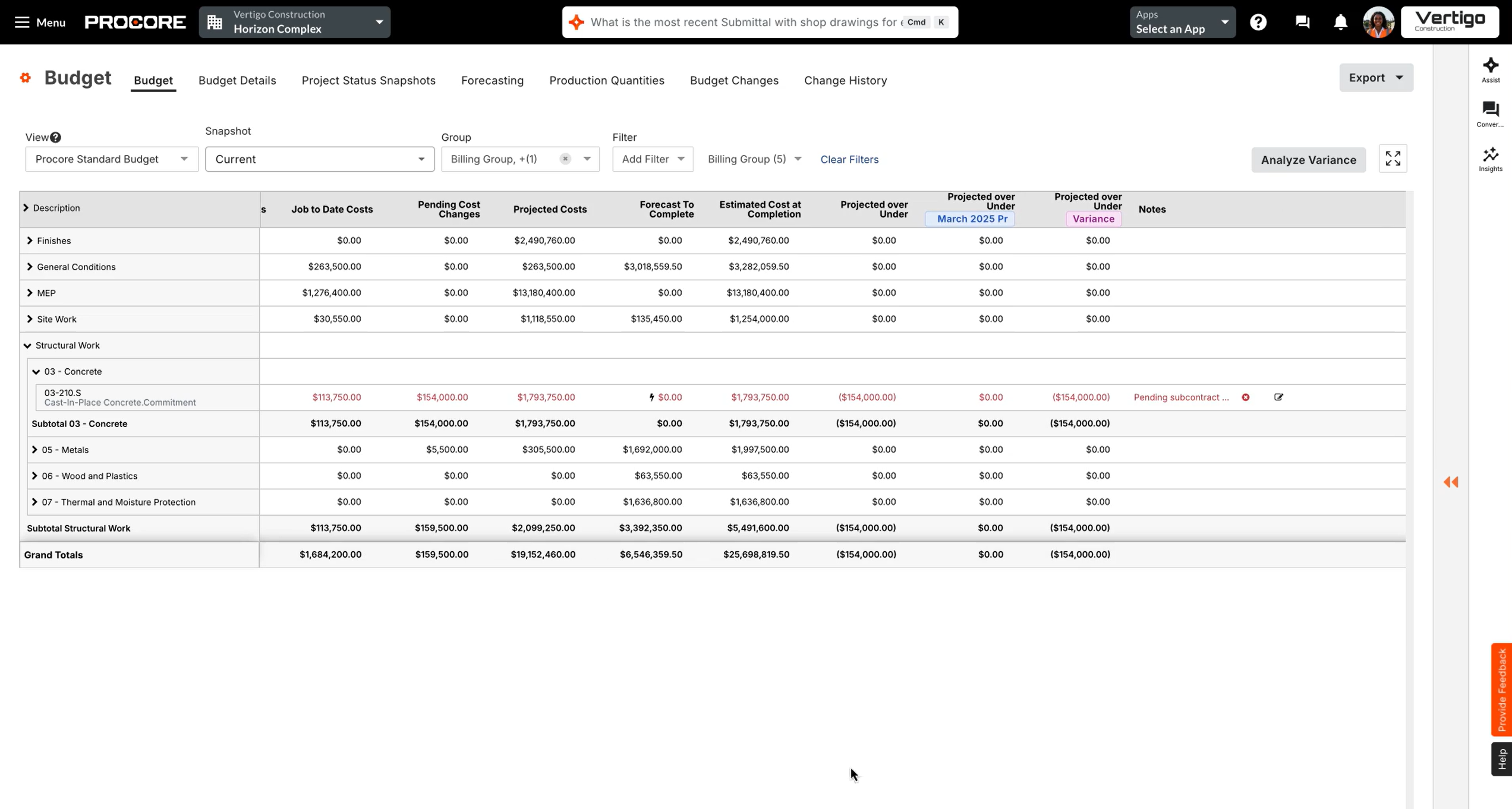
Procore is the undisputed heavyweight of the industry. It offers an exhaustive suite that covers the entire project lifecycle — from pre-construction and bidding to financial management and field productivity. While it is incredibly powerful and features a massive integration ecosystem, its complexity and high cost often make it "too much software" for mid-sized firms that don't have dedicated IT admins to manage the platform.
Features
- RFI & submittal tracking
- advanced financial budgeting
- BIM model viewing
- robust app marketplace
Pros
- most comprehensive feature set
- excellent mobile field app
- highly scalable for billion-dollar firms
Cons
- very expensive
- opaque pricing based on project volume
- steep learning curve for smaller teams
Pricing
custom quote only (typically ranges from $12,000 to $100,000+ per year).
2. Autodesk Construction Cloud
Best for: Firms heavily reliant on BIM, design-build, and deep architectural integration.
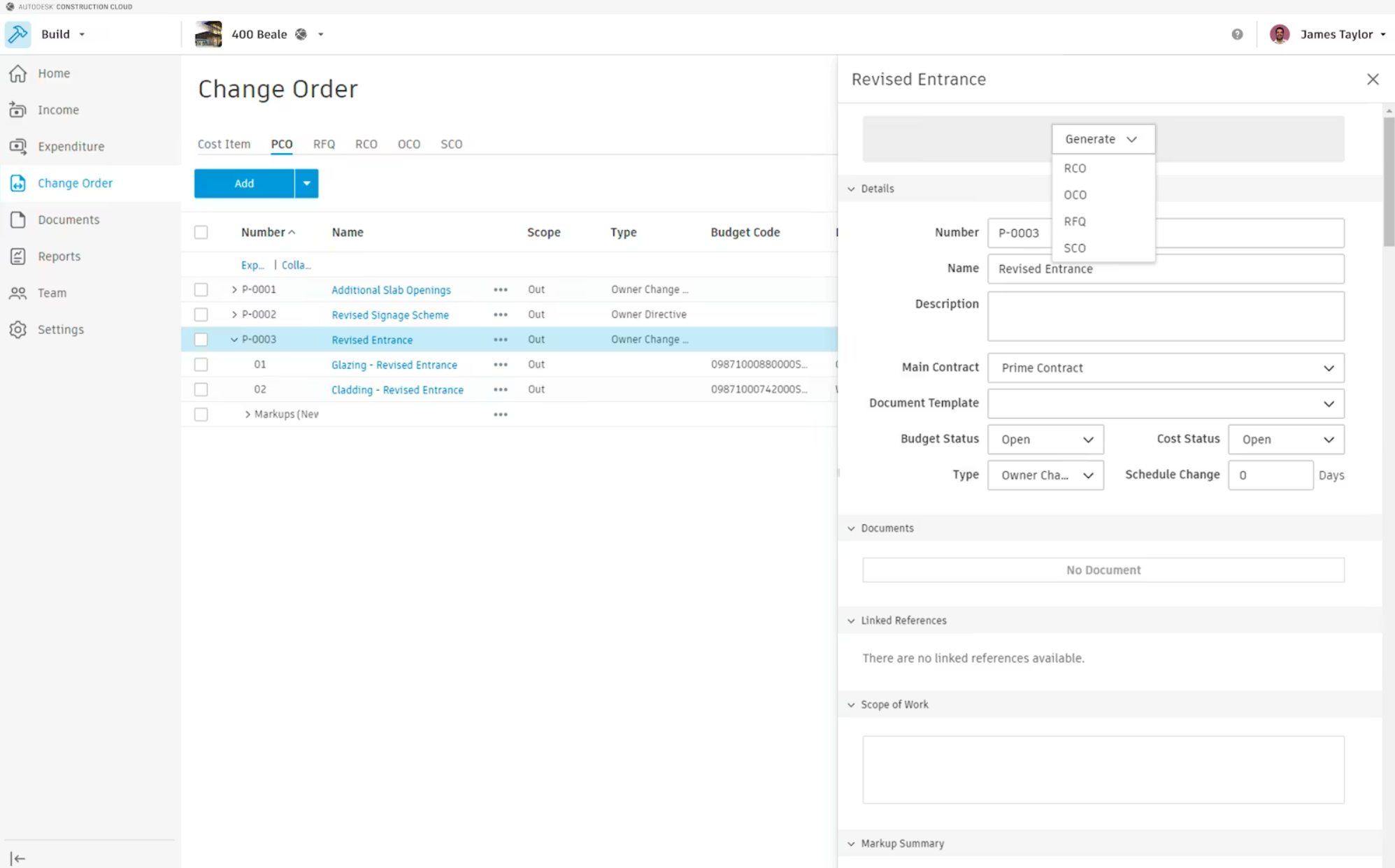
If your projects live and die by the digital model, Autodesk is the gold standard. It unifies office and field teams by placing the 3D model at the center of the workflow. By connecting Revit and AutoCAD data directly to field execution tools like Autodesk Build, it minimizes errors that occur when translating 2D drawings into 3D reality.
Features
- 3D Model coordination
- automated quantity takeoffs
- integrated document management
- design collaboration.
Pros
- best-in-class BIM integration
- seamless connection to the broader Autodesk ecosystem
- high data accuracy
Cons
- expensive for smaller firms
- can be overly complex for non-BIM projects
- high barrier to entry for subcontractors
Pricing
Modules like Autodesk Build start around $1,625 per year; BIM Collaborate starts at ~$700/year.
3. Buildertrend
Best for: Residential contractors, remodelers, and custom home builders seeking an all-in-one hub.
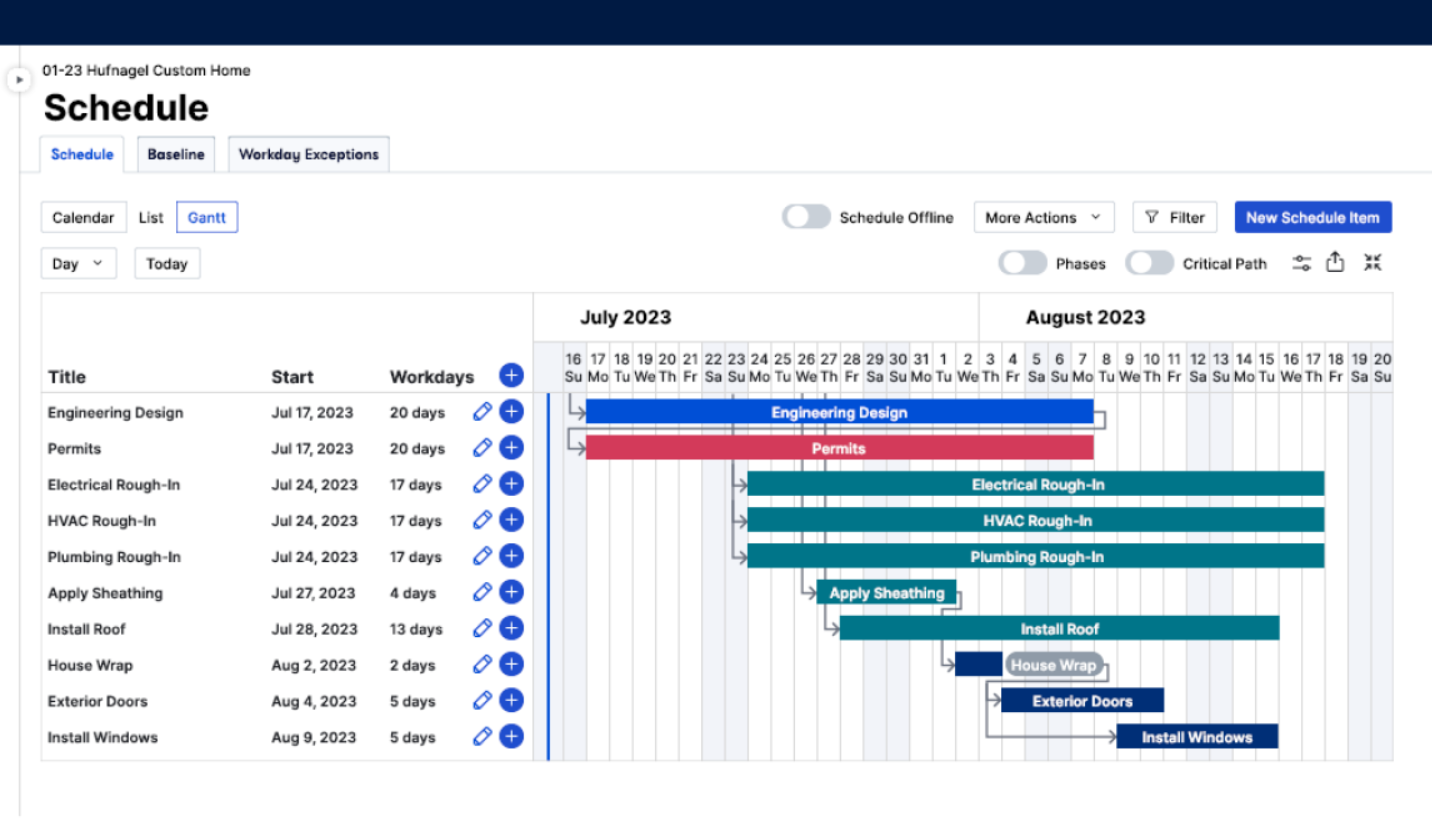
Buildertrend is widely considered the best crm for small construction business owners in the residential space. It balances project management with a heavy focus on the "client experience," featuring a dedicated portal where homeowners can track progress, approve selections, and make payments. It’s designed to bring professional-grade organization to businesses that are moving away from manual spreadsheets.
Features
- client portal
- selection management
- daily logs
- integrated payment processing
Pros
- intuitive interface
- strong customer support
- excellent for managing client expectations
Cons
- pricing has increased significantly in recent years
- limited depth for large-scale commercial work
Pricing
Starts around $499–$900 per month depending on the plan and volume.
4. Fieldwire (by Hilti)
Best for: Subcontractors and GCs who need a field-first tool for task management and plan markups.
.jpg)
Fieldwire is built for the person in the hard hat. While other tools focus on the back office, Fieldwire excels at plan viewing and task coordination on-site. It allows crews to carry all their blueprints on a tablet, drop "pins" to note issues, and sync photos instantly. It’s the tool you choose when your primary goal is reducing rework and streamlining site inspections.
Features
- fast plan viewer
- punch lists
- custom task statuses
- offline synchronization
Pros
- extremely easy for field crews to adopt
- robust free tier for small teams
- fast and responsive mobile app
Cons
- limited financial and pre-construction tools
- lacks deep accounting integrations compared to Procore
Pricing
Basic plan is free; Pro starts at $39/user/month; Business at $64/user/month.
5. Raken
Best for: Firms prioritizing daily field reporting, safety compliance, and labor tracking.
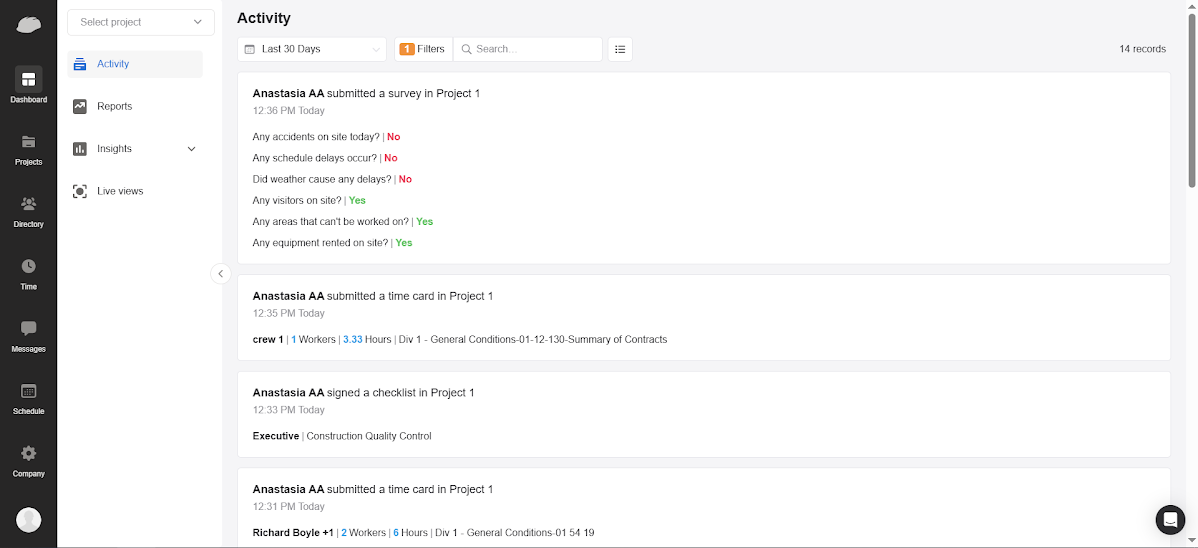
Raken is the industry leader for "the daily." At NEKLO, we’ve worked closely with high-performance field tools like this, and we understand why Raken wins: it makes the most boring part of the job (paperwork) effortless. It turns daily logs and safety "toolbox talks" into a 2-minute mobile task. It’s a specialized tool that provides the "ground truth" data required to protect your business from litigation and disputes.
Features
- voice-to-text daily reports
- automated weather tracking
- safety checklists
- time cards
Pros
- highest adoption rate among field crews
- excellent visual documentation
- simplifies compliance
Cons
- not an "all-in-one" ERP
- requires other software for heavy bidding or complex financials
Pricing
Starts at ~$35/month for basic reporting; Performance plans go up to ~$94/user/month.
6. Contractor+
Best for: Small-to-midsize contractors and specialty trades that need construction project management and field service workflows in one connected system.
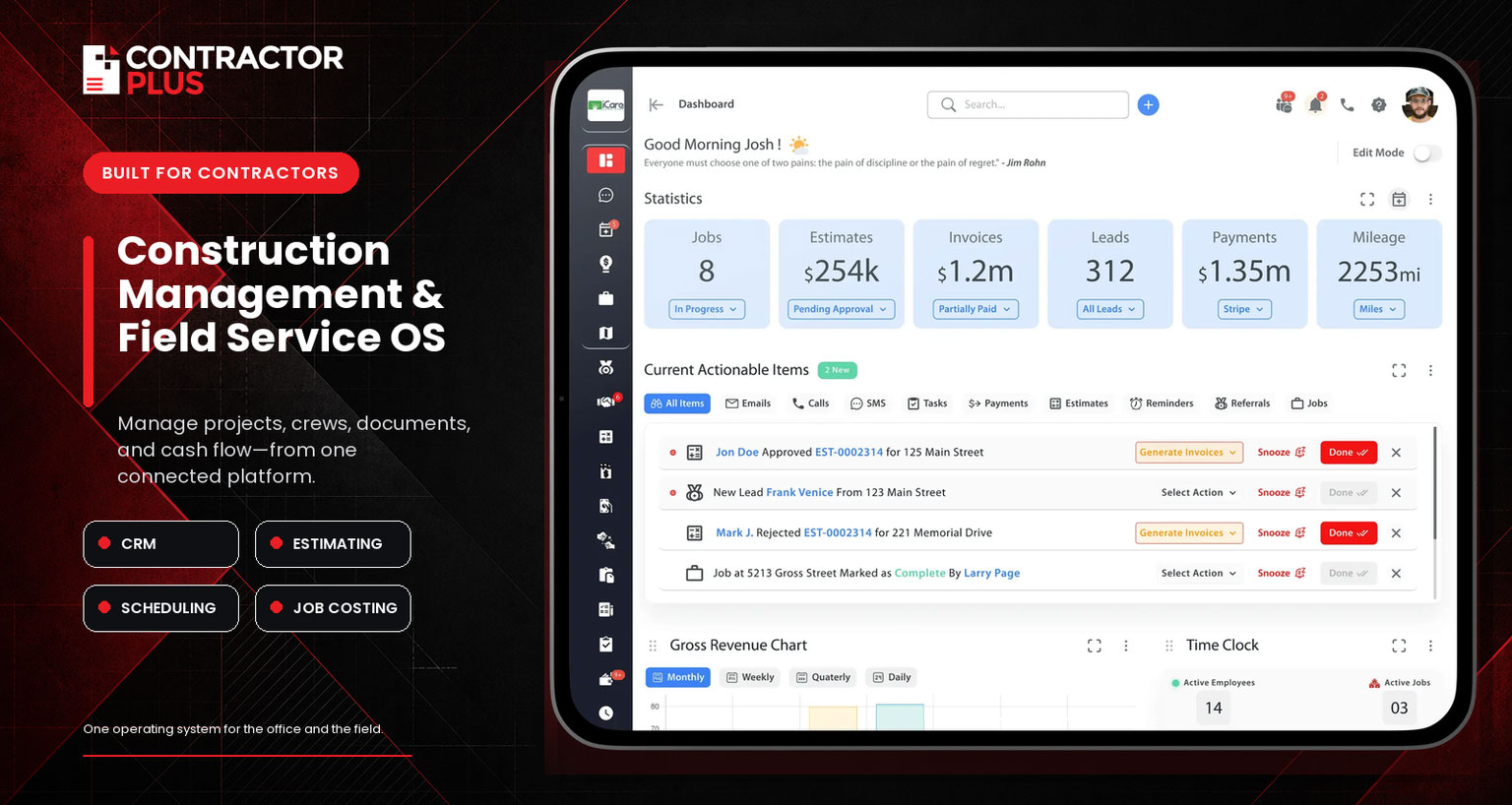
Contractor+ fills the gap between lightweight field apps and enterprise construction suites. This construction management and field service OS carries work from CRM and estimating into scheduling, project phases, crew activity, job costing, invoicing, and payments without rebuilding the job in separate tools. It is especially useful for growing contractors that handle both longer projects and ongoing service calls. Teams relying on BIM, complex submittal workflows, or enterprise ERP controls will likely need a more specialized platform.
Features
- CRM, estimating, contracts, e-signatures, invoicing, and payments
- job scheduling, dispatching, project phases, tasks, and timelines
- automated job costing and profitability tracking
- mobile time and mileage tracking, team communication, and QuickBooks Online integration
Pros
- connects lead, project, field, and payment workflows in one platform
- useful for companies managing both construction projects and service calls
- permanent free tier with transparent, self-service pricing
Cons
- job costing, QuickBooks Online, team chat, the client portal, Zapier, and API access require Pro Team
- the Freedom plan is limited to five estimates or invoices per month
- not positioned as a BIM, RFI/submittal, or AIA billing platform for enterprise general contractors
Pricing
Freedom is free. Pro costs $49 per month for one user, or $348 per year paid upfront—a $29-per-month equivalent. Pro Team costs $98 per month for the first two users, or $696 per year paid upfront—a $58-per-month equivalent. Additional Pro Team users cost $29 per month, or $240 per year paid upfront—a $20-per-month equivalent.
7. CoConstruct
Best for: High-end custom home builders who need to manage complex selections and client communication.
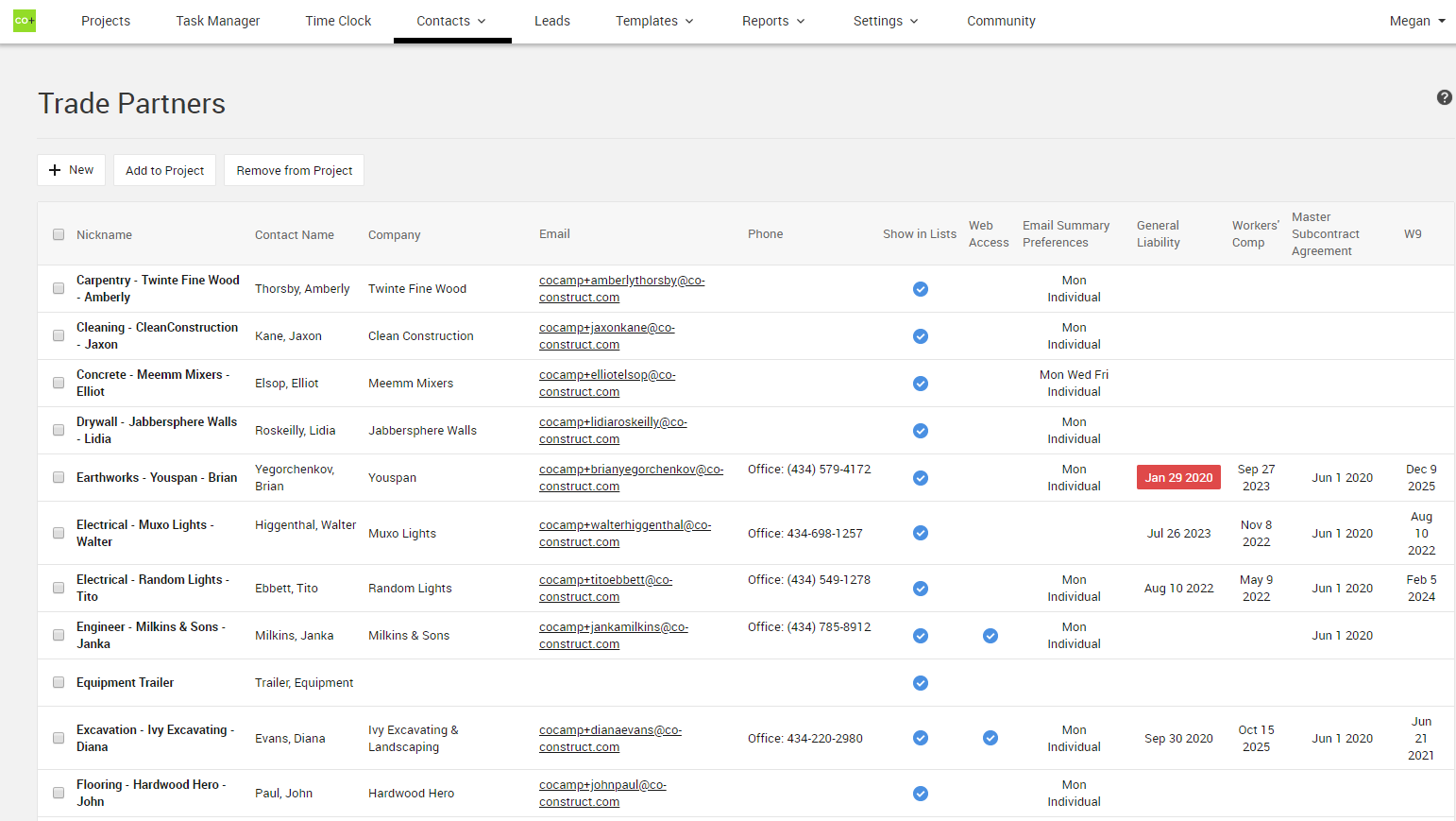
Now owned by Buildertrend, CoConstruct remains a favorite for custom builders who handle bespoke projects with hundreds of finish selections. It excels at the "sales-to-build" pipeline, allowing you to turn a lead into a proposal and then into a project without losing data. It is widely regarded as some of the best software for small construction business owners who need to look professional to high-net-worth clients.
Features
- bid management
- selection sheets
- lead tracking
- change order approvals
Pros
- deep customization for residential workflows
- great lead-to-contract pipeline
- solid QuickBooks integration
Cons
- interface can feel dated
- some feature overlap/redundancy with Buildertrend
Pricing
Tiered pricing typically starting around $300–$500 per month.
8. Contractor Foreman
Best for: Small to mid-sized contractors looking for the most "bang for their buck."
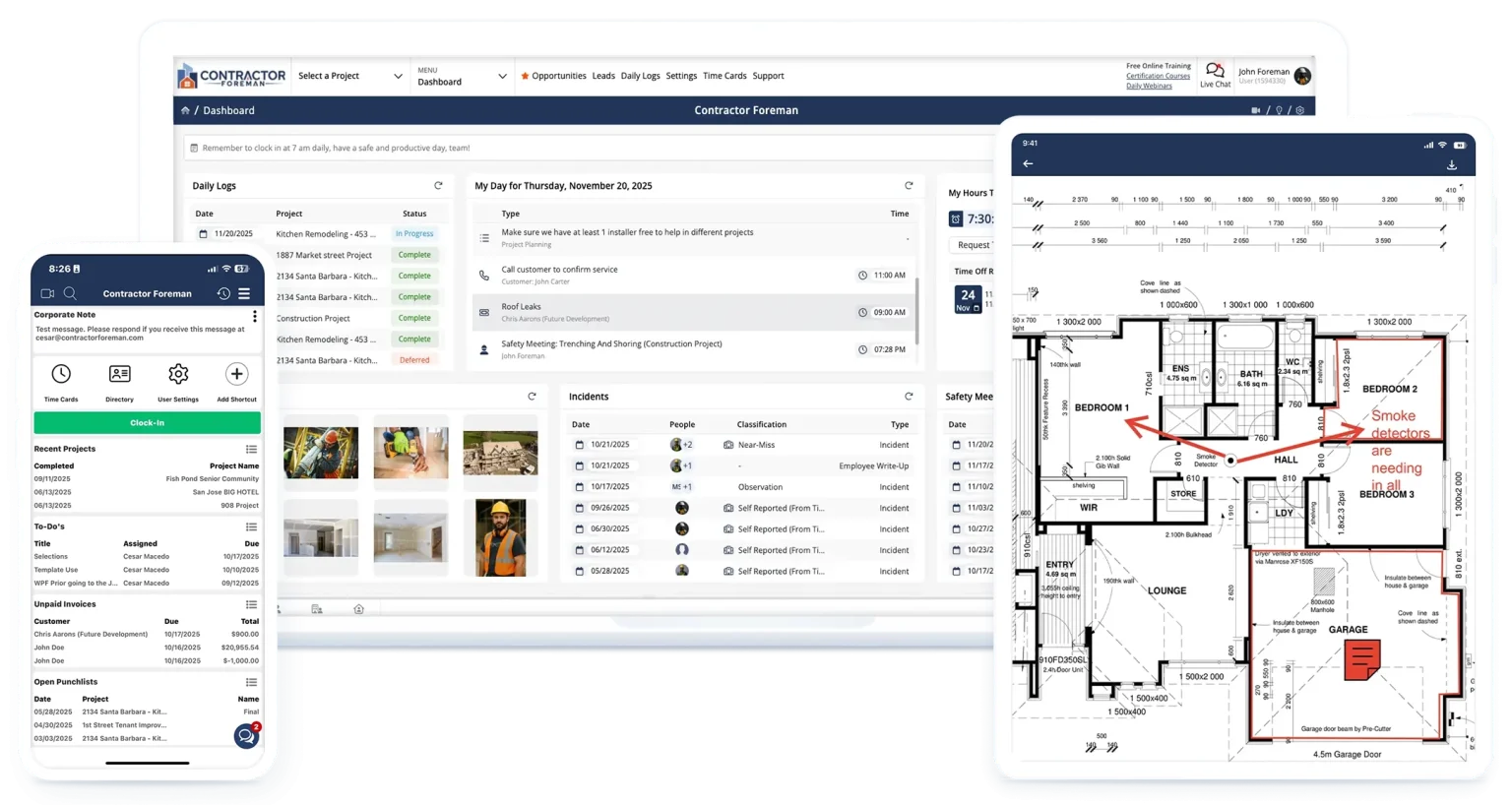
Contractor Foreman is often cited as the best software for small construction business growth because of its flat-fee pricing. While most competitors charge per user or per project, Contractor Foreman offers a massive list of 50+ features for a predictable monthly cost. It’s a well-rounded tool that covers everything from estimates to safety meetings without breaking the bank.
Features
- estimating
- Gantt charts
- safety meeting logs
- equipment tracking
Pros
- most affordable all-in-one solution
- unlimited projects
- very responsive customer support
Cons
- user interface is less "polished" than Procore or Monday
- some features lack the depth of specialized tools
Pricing
Standard plan starts at $49/month; Unlimited plan at $148/month.
9. RedTeam Go
Best for: General contractors who need a simple construction scheduling software without enterprise bloat.
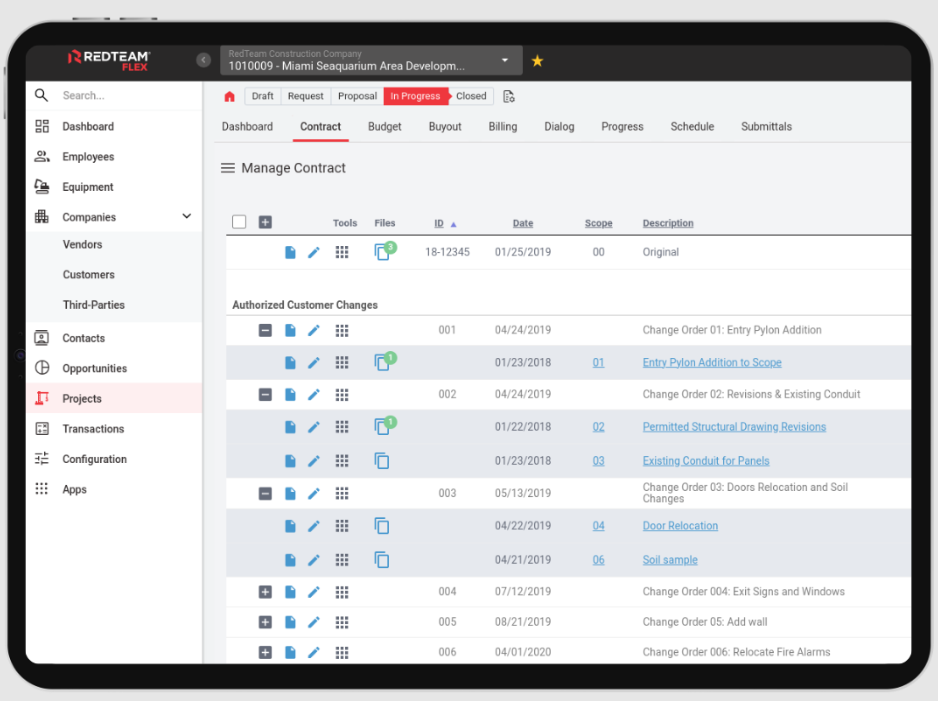
RedTeam Go (formerly Subitup/Kojo-adjacent in workflow) is built specifically for GCs who have outgrown basic tools but find Procore too cumbersome. It focuses on the core necessities: getting the job scheduled and keeping the financials in check. It’s a "right-sized" solution that streamlines the submittal and bidding process for commercial GCs.
Features
- subcontractor management
- simple scheduling
- AIA billing
- closeout tracking
Pros
- faster implementation than enterprise tools
- straightforward commercial financial tracking
Cons
- mobile app can be laggy
- limited training resources compared to larger competitors
Pricing
Starts around $45 per user per month.
10. Monday.com (Construction Suite)
Best for: Firms that want a highly visual, adaptable interface for non-linear project management.
.png)
Monday.com isn’t "construction-only" by birth, but its Construction Suite has become a powerhouse for firms that hate rigid software. It is the most customizable tool on this list. If you want a dashboard that looks like a colorful spreadsheet but acts like a high-powered database, this is it. It’s perfect for the office-side management of pre-construction and high-level scheduling.
Features
- customizable boards
- automation "recipes"
- timeline views
- CRM integrations
Pros
- beautiful, modern UI
- extremely flexible
- excellent for office-to-office collaboration
Cons
- requires significant setup to make it "feel" like construction software
- field tools are weaker than specialized apps
Pricing
Basic starts at $8/user/month; Standard (most popular) at $12/user/month.
11. Houzz Pro
Best for: Residential designers and specialty remodelers focused on lead gen and aesthetics.
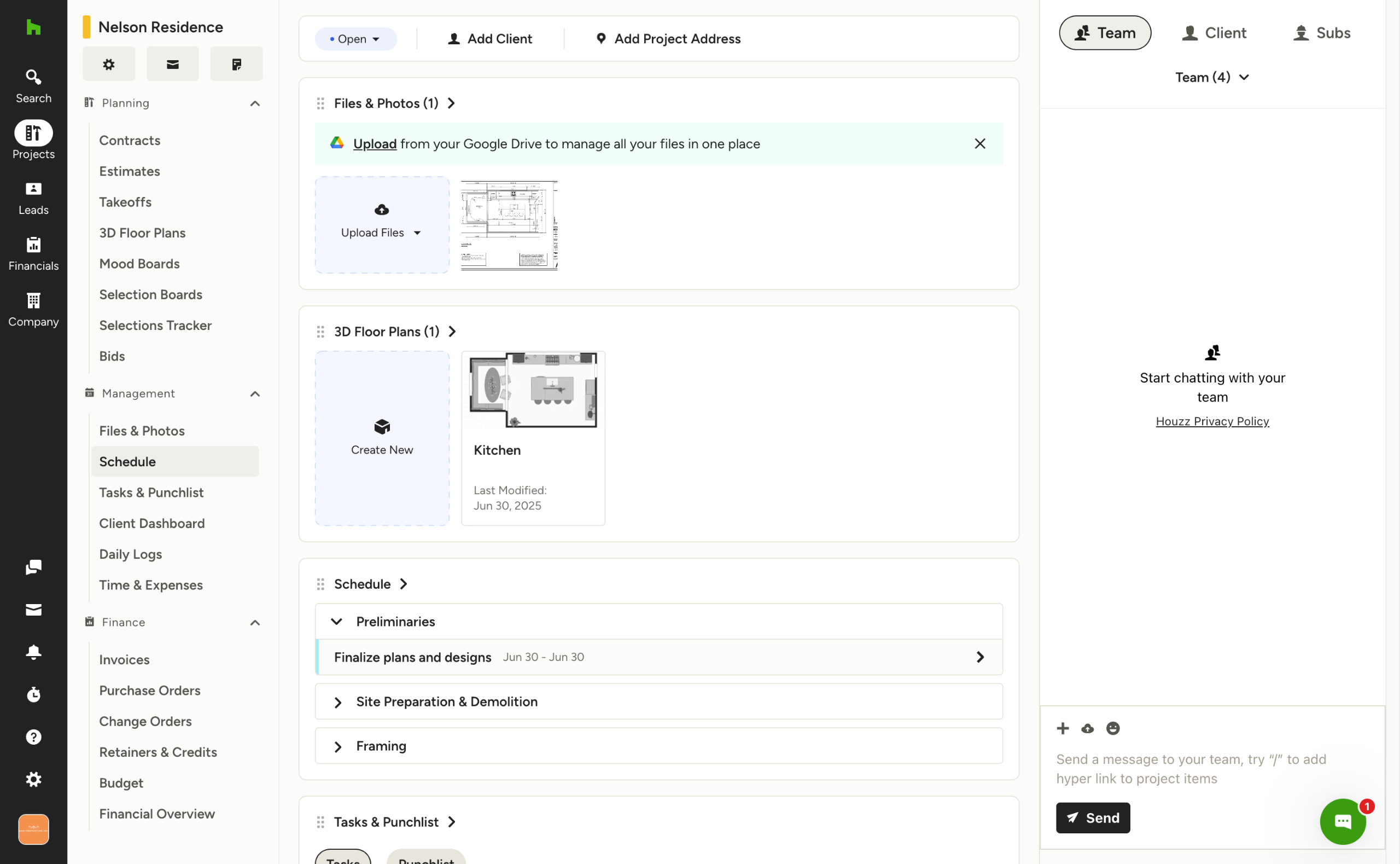
Houzz Pro is a niche choice that combines marketing with management. Because it’s built on the Houzz marketplace, it helps you find the lead, design the space (with 3D mood boards), and then manage the build. It is the go-to for small businesses where "design" is just as important as the "build."
Features
- 3D Floor planners
- lead generation tools
- mood boards
- online payments
Pros
- unique lead-generation integration
- very visual and easy for clients to use
Cons
- not built for heavy construction or multi-unit commercial work
- basic project management depth
Pricing
Starter plans begin at $65/month; Ultimate plans reach $399/month.
Custom construction CRM software vs. SaaS: the invisible ceiling
General contractors must choose between pre-built SaaS platforms and custom software solutions to manage their operations.
While SaaS products offer rapid deployment, they often create an "invisible ceiling" that forces firms to adapt their unique workflows to rigid, third-party logic.
Best CRM for construction is a custom CRM which provides 100% ownership and aligns perfectly with a company’s "secret sauce" processes, such as specialized bidding or safety protocols.
SaaS solutions are the industry go-to for a reason — they are really fast to deploy. You can be live and tinkering with your operations by Monday. But there is an "invisible ceiling" to consider: with these off-the-shelf tools, you are essentially "renting" your operational processes. You’re forced to work within the confines of someone else’s logic, and your data often ends up in a "black box" where custom reporting becomes a major hurdle.
Custom development is a different investment entirely. While the upfront cost is higher and the deployment timeline is longer, the result is 100% ownership. You build the software around your "secret sauce"— a proprietary asset that makes your firm uniquely efficient.
By building your own best construction CRM software, you ensure the tools understand the ripple effects of the job site. You aren't just managing tasks; you’re managing the complex, interconnected reality of a multi-million dollar project.
How to choose the best construction software for your firm
Selecting the best construction software requires a structured evaluation of internal workflows, user adoption rates, and integration needs.
This framework helps general contractors determine if an off-the-shelf product or a custom build provides the better long-term ROI.
By auditing manual workarounds and prioritizing field-level mobile accessibility, firms can choose the best construction software for general contractors that their teams will actually use at 6:00 AM.
Step 1: audit your "workarounds"
Before looking at new tools, look at your current "crutches", like your team using a SaaS product but still maintaining a "Master Tracker" in Excel to fix a data gap. That is what you’re going to fix.
These workarounds are the roadmap for your requirements. If you find your team constantly fighting the software to get a simple report, it’s a clear sign that you’ve outgrown your current platform and might be a candidate for a custom build.
Step 2: define the "secret sauce" (SaaS vs. custom)
If your workflows are standard — standard bidding, standard payroll, standard scheduling — a top-tier SaaS solution is likely your best bet. Then the trick is finding the features you need and the price you’re comfortable with.
However, if your competitive advantage is a unique proprietary bidding formula or a hyper-specific safety protocol, you need software that protects that "secret sauce." This is the stage where you decide whether to adapt your firm to a vendor's specs or write a custom specification that forces the software to adapt to you.
Step 3: prioritize the 6:00 AM user
The best construction software for general contractors isn't the one the CEO likes in the boardroom; it’s the one the foreman actually opens at 6:00 AM in the trailer.
User adoption is the only metric that matters. If the interface is too clunky for a guy in work gloves to navigate, the data will never make it back to the office. Look for "big button" mobile interfaces and a minimal number of clicks to complete a daily log.
Step 4: the integration & offline "must-haves"
Construction doesn't always happen where there is 5G. Your software must have a robust "offline mode" that allows the field to capture data, photos, and signatures without a signal, then syncs automatically once they hit the office.
Finally, check the "conversation" between tools. Your project management software must talk to your accounting platform (like Sage or QuickBooks) and your construction CRM software. Without these integrations, you’re just creating a new digital silo.
Step 5: vet the vendor (or the partner)
If you’re buying SaaS, look at their update frequency and customer support response times. If you’re building custom, look for a development partner who speaks "construction." You don't want to spend your budget teaching a developer the difference between a submittal and a change order — you want a partner who can suggest how to automate them.
How software impacts construction margins
Construction management software protects the 2–3% net profit margins typical of the industry by unifying field data and office workflows. Digital transformation prevents the "silent tax" caused by manual data entry and disjointed spreadsheets. By integrating desktop dashboards with mobile field apps, firms gain the visibility needed to remove operational hurdles and stop performance sliding as the business grows.
In an environment the margins that tight, you don’t do digital transformation just for the sake of it. You want to protect every cent of those margins.
And on top of the labor and materials, all your data trapped on paper clipboards or buried in dozens of spreadsheets has you paying what we call a "silent tax." This poor information flow between the field and the office leads to double-entry, missed change orders, and delayed billing — all of which eat up your profit.
The best construction software is a unified ecosystem that changes that. It connects high-level desktop dashboards for your back-office team to keep track of every job while mobile field apps that allow your foremen to provide real-time status updates.
And with these tools integrated into your CRM and accounting platforms, you gain 360-degree visibility into your entire operation. You stop just reacting to crises and start removing the "crutches" and workarounds that slow down your growth.
Ultimately, finding the best software for construction business success means building a workflow that stays coherent as you scale. It helps you stay sure that as your crew count grows, your operational efficiency doesn't slide.
Conclusion
Choosing the right tech is a balancing act between immediate speed and long-term ownership.
Whether you opt for a market leader like Procore or build a bespoke construction CRM software, the ultimate goal remains the same: protecting those razor-thin 3% margins.
If an off-the-shelf tool fits your workflow today, use it to scale. But if you’re tired of expensive workarounds and fragmented data, it’s time to stop adapting to your software and move beyond the SaaS ceiling.


.png)


